Skip to content

Ships inside Hangar

Every session. One canvas.

Workspace lays active agent sessions, waiting decisions, files, and finished reports onto one local canvas.
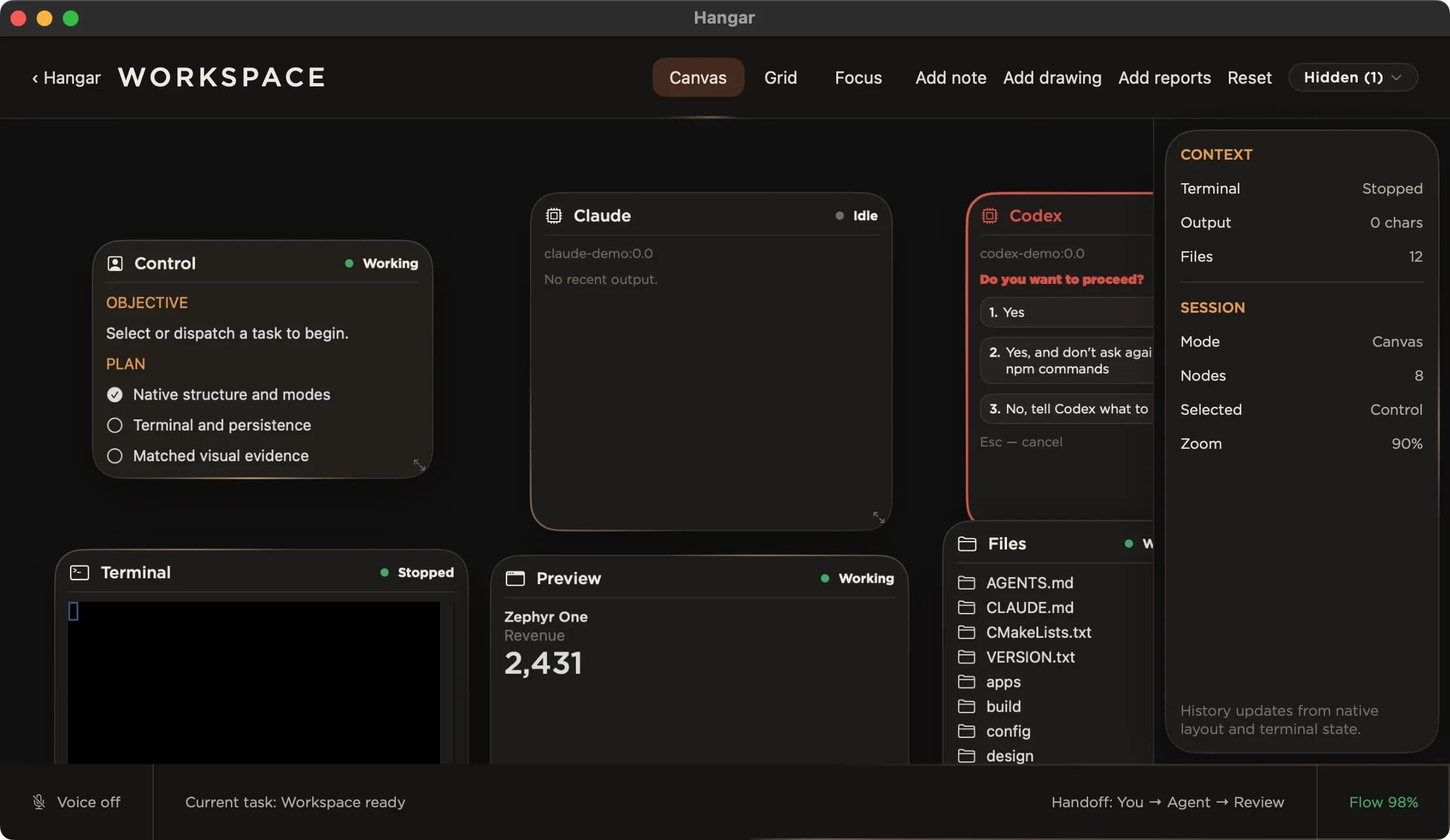
Workspace in canvas mode with a control pane, agent panes, a terminal, files, and a context rail.
Workspace · canvas mode

Inside the window

What it does.

Panes

Every worker in view

Each active agent gets a pane whose state reads directly from the canvas.

Approvals

The question stays with the work

A waiting prompt and its choices remain beside the output that caused it.

Reports

Results remain readable

Task reports open beside the work instead of disappearing into terminal history.

Layout

Canvas, grid, or focus

Panes can spread out, line up, or narrow to the session that needs attention.

One job, end to end

Four steps.

  1. 01DispatchA task starts with its objective and plan visible.
  2. 02WorkLive output and touched files stay attached to the pane.
  3. 03ApproveA blocked action waits for an explicit answer.
  4. 04ReportThe finished task leaves a readable result behind.

Boundaries

What it does not do.

  • Agents are not included.
  • Approvals are never silent.
  • Workspace does not add memory to an agent.

Details

Storage
Plain files on disk
Layouts
Canvas, grid, focus
Panes
Agents, terminal, files, preview
Status
Ships inside Hangar

Workspace ships inside Hangar.

Get Hangar